Publish controls and formulas
A useful recipe exposes the decisions you want to make while building: wall width, roof pitch, fence count, material color. Construction details stay inside the Group.
Published controls are stored in that Group's MZ recipe. They can replace actual operation inputs before the mesh is constructed. They can also transform finished geometry, but those are different behaviors.
Publish an actual dimension
Start with Wall segment, open its Group, and inspect Publish controls…. The existing controls show a complete example.
- Add or select a control and give it a label, section and help text.
- Choose Recipe parameter as its behavior.
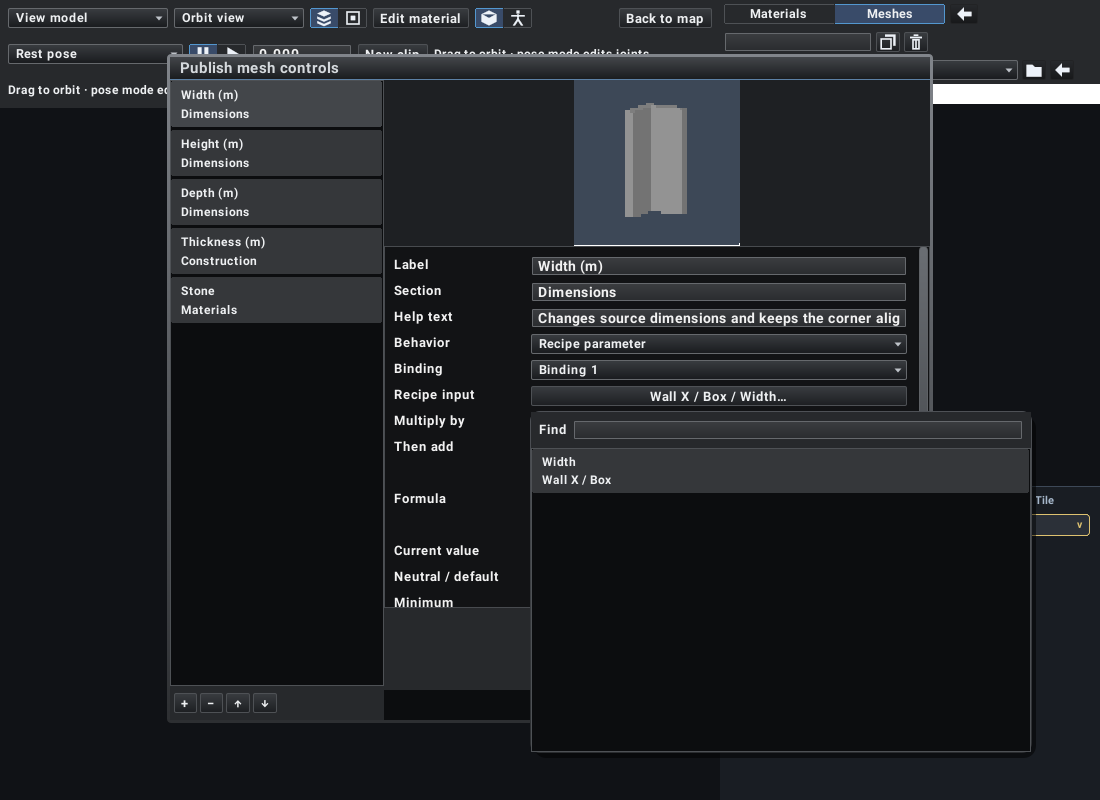
- Select a Recipe input. The picker lists the construction's editable numeric inputs.
- Set Multiply by and Then add. The bound input receives
control value * multiplier + offset. - Set the current value, neutral/default value, minimum and maximum.
- Save the controls and select the Group to try the published slider.
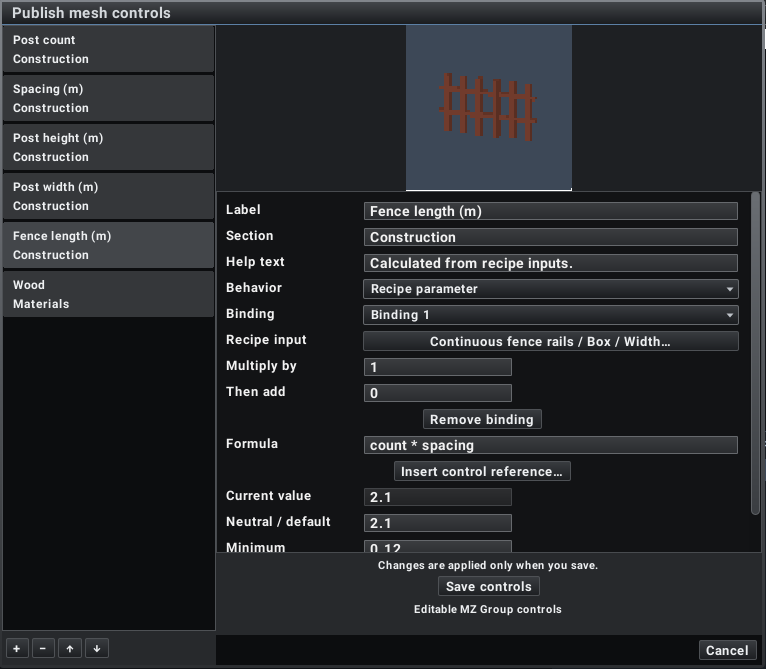
Changes in this dialog are applied when you save. A control may drive several bindings.
The wall's width drives Box / Width. Height drives both Box / Height and Transform / Position Y, with multipliers 1 and 0.5. Increasing height therefore keeps the wall's base at Y=0.
The input picker supports search and nested published controls. A nested Group with its own controls exposes those controls; you can keep its internal construction encapsulated.
Choose parameter binding or transformation
| Behavior | Appropriate use |
|---|---|
| Recipe parameter | Thickness, pitch, contour coordinates, repeat count, spacing, connector positions |
| Fit dimension | Resizing a completed shape along an axis |
| Uniform fit | Resizing a completed shape while preserving proportions |
| Affine transform | Moving, rotating or scaling selected parts/joints |
| Palette | Publishing a material color choice |
Scaling a completed fence also scales its posts and spacing. Binding Count and Spacing to Repeat rebuilds the fence from the intended number and size of posts. Use parameter binding when those structural differences matter.
A direct Repeat count binding uses integer values. Keep ranges useful and realistic: a count control must remain within Repeat's limits, and all mapped construction values must remain valid over the complete published range. Binding the same target more than once is rejected because the result would be ambiguous.
Derive dependent measurements
Use Formula for a control that should be calculated from other controls. Formula controls are read-only when using the recipe; their formula remains editable in the publisher.
The Fence recipe publishes count and spacing, then calculates:
length = count * spacing
That length drives the two continuous rails and the end connector. The posts still come from Repeat. Changing count changes geometry, collision bounds and the connector span together.
The Gable roof uses:
half_run = span / 2
length = half_run / cos_deg(slope)
rise = half_run * tan_deg(slope)
Its nested Roof slope recipes calculate the ridge cut from slope and thickness. Both roof panels remain joined when pitch changes; scaling a finished pair of panels would not express that construction rule.
Control IDs are local to their Group. Labels can be renamed for readability without becoming formula references. Insert control reference… inserts a stable bracketed reference when you need to avoid an ambiguous label or ID.
Formula syntax
Use numbers, local control IDs, parentheses and +, -, *, /. Supported functions include sin_deg, cos_deg, tan_deg, sqrt, abs, min, max, clamp, floor, ceil and round.
(count - 1) * spacing
max(0.1, span - thickness * 2)
clamp(slope, 5, 60)
Trigonometric functions take degrees. Formula evaluation follows dependencies, so a derived control may reference another derived control. Missing references, cycles, division by zero, non-finite results and results outside the declared range are errors. Keep roof pitch away from angles where the construction becomes singular.
Keep every dependent feature in agreement
A width change may need several bindings:
- The solid's width.
- Its placement transform, if an edge must stay anchored.
- Footprint contour coordinates.
- End connector positions.
- A roof or rail dimension derived from that width.
Whole-model transforms carry footprints and connectors with the mesh. Deforming one part does not infer a new collision contour or connection position. Bind the affected contour and connector inputs explicitly.
Verify your published interface
Try the minimum, default and maximum values. Check the material, silhouette, grounding, footprint and connector positions. Save and reopen the recipe, then change the controls again. A useful published interface should be understandable without opening its construction rows.
A shared recipe change updates all placements. Use Project in the recipe browser to create an independent copy before experimenting with a variation you want to keep separate.