Visual Scripting
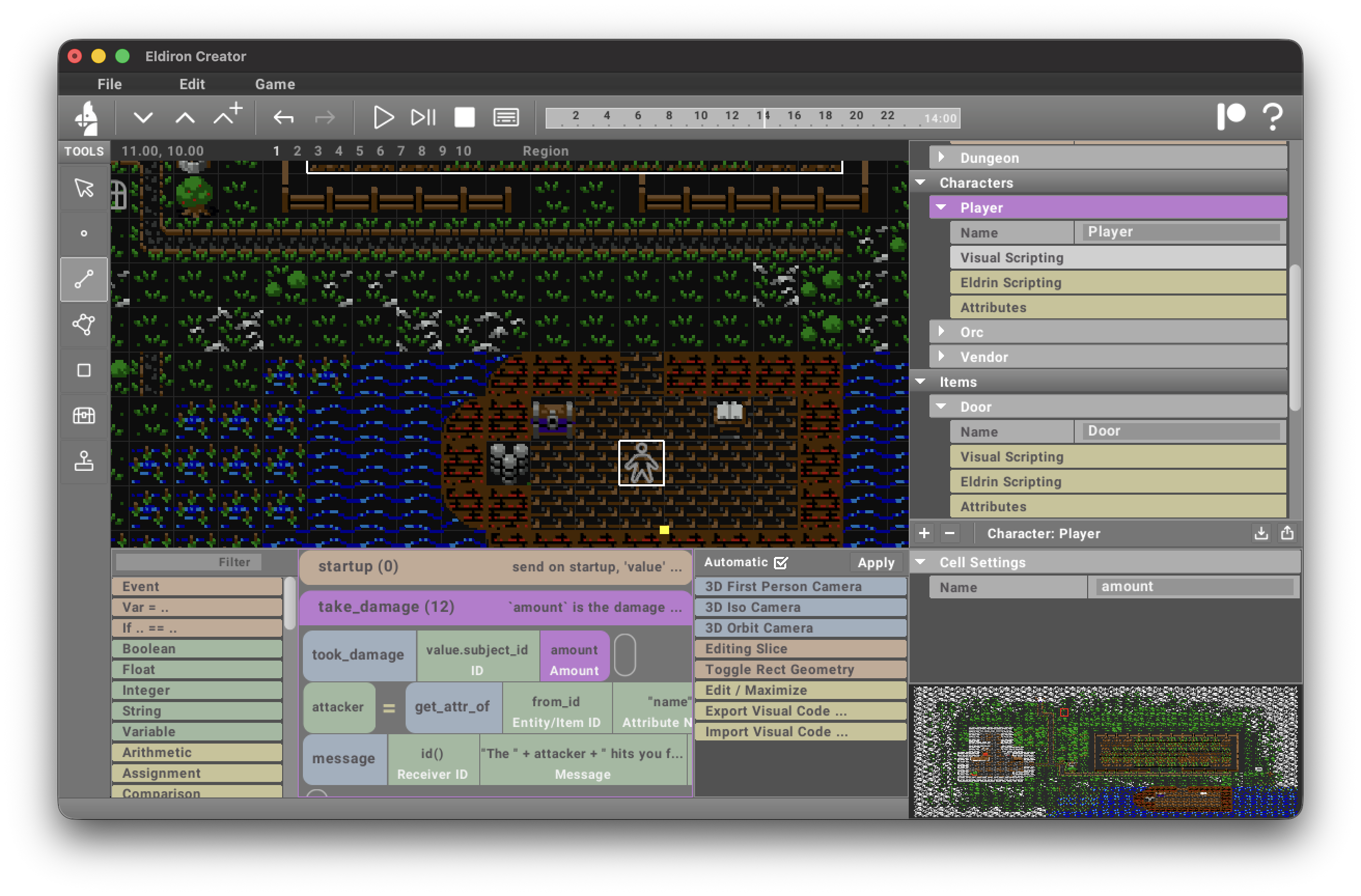
The visual script editor allows you to create Eldrin scripts without having to type code directly. It works by dragging and dropping commands from the left toolbar into the editor.
The editor has one folder for every event you support for this entity.
The same editor is also used for:
- World / Visual Scripting
- Region / Visual Scripting
So visual scripting is no longer limited to characters and items. World scripts are global, while region scripts are local to a single map.
Events
Dragging and dropping the Event item creates a new event, re-name it to the event you want to support.
As your player character probably supports several intent types, you can name an event to support one specific intent type, for example, naming an event "intent: use" would create an event folder which just handles use intents.
Live Debugging
When you start the game from the creator, the visual script editor can show live runtime feedback directly inside the graph.
- Executed event headers are highlighted for the current tick.
- Executed lines are highlighted for the current tick.
- Executed cells are outlined for the current tick.
- The last result or error of a cell stays visible until that same cell runs again.
- Hovering cells in the graph shows the same status/help text as the command list on the left.
This makes it possible to see both short-lived execution flow and the last known state of important commands.
Values And Conditions
Visual scripting now mirrors more runtime values back into the graph:
- Function calls with return values can show their current result directly on the cell.
- Assignment rows mirror the evaluated result back to the variable cell, so a line like
damage = random(1, 3)shows the sampled value after execution. ifconditions showTrueorFalseon the condition row.- A false
ifis shown as a muted "not taken" state instead of an error.
This is especially useful for debugging combat, AI decisions, and temporary variables.
Copy Existing Cells
You can still drag commands from the left command list into the editor, but you can also now drag existing cells inside the graph to copy them.
- Dragging a normal cell copies that cell.
- Dragging a function cell copies the function together with its dependency subtree.
- The copied cells receive new internal ids.
- Drop validation uses the same placement rules as drag-and-drop from the left command list.
While dragging, the editor shows whether the current target is valid before you drop.
World And Region Variables
World and region scripts can assign runtime state through variables instead of dedicated commands.
Examples:
world.render.pal.start = 0
world.render.pal.end = 9
world.render.pal.mode = "nearest"
world.render.pal.blend = 1.0

region.render.background_color_2d = "#272744"
region.post.saturation = 0.7
In the visual scripting editor these are normal variable assignment rows. The variable cell stores the full path, while the UI may show a shorter display label for readability.
World Events
The World Event command block calls world_event(event, value).
Use it from character, item, or region visual scripts when the local script should ask the World script to handle a global task. For example, a dungeon exit tile can send dungeon_exit with id() as the value, and the World script can rebuild the next dungeon level and move that player to the new entrance.
The World script receives the event through its normal event(event, value) handler. Use Build Procedural in the World script to rebuild the current procedural region, then Teleport Entity when the event value is an entity id that should be moved to a destination sector.