Eldiron v0.91.0 Released

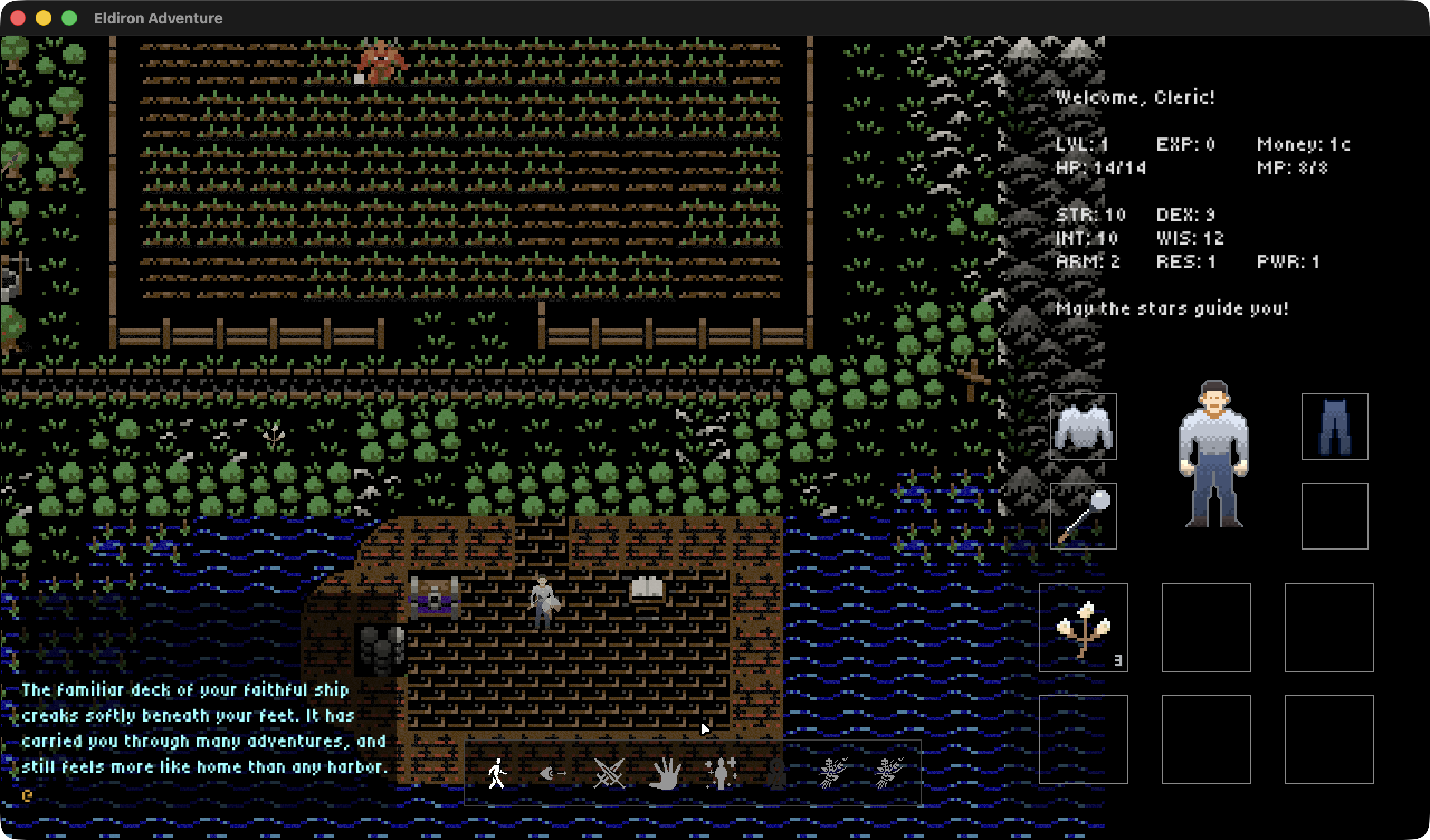
Eldiron v0.91.0 is a big step toward making Eldiron feel more like a complete RPG creator instead of a toolbox full of separate systems.
The main focus of this release is the first fully integrated version of the Official Eldiron Ruleset. Combat, classes, items, spells, resources, crafting, economy, item visuals, action buttons, and tooltips can now come from one shared rules foundation. Projects can still override the rules where they need to, but new projects have a much stronger default RPG layer to build from.
This release also adds a new Gate starter project. While Hideout2D is now the main showcase for ruleset-driven gameplay, Gate is more of a 3D editing, 3D navigation, and avatar test case: levels, stairs, mesh collision, 3D Geometry Object areas, scripted goto behavior, and the new 8-direction human avatar in motion.
Official Eldiron Ruleset
The Official Eldiron Ruleset is now bundled with Eldiron and used directly by the starter projects. It defines the shared fantasy RPG defaults that most projects need sooner or later: races, classes, attributes, weapons, armor, spells, cooldowns, resources, crafting recipes, economy, item visuals, and starter loadouts.
The important idea is that gameplay meaning now lives in the ruleset instead of being scattered across one-off character scripts and screen widgets. A sword knows its damage. A class knows its starting equipment. A spell knows its MP cost, cooldown, reagent, FX, and healing or damage behavior. A button can ask the active ruleset what it should do and how it should describe itself.
Projects are not locked into these defaults. The ruleset is selected in Game / Settings, and project-specific changes go into Game / Rules as an override layer. That means the official rules can provide a useful baseline while individual games still remain free to change the details.
Hideout2D As Ruleset Showcase
Hideout2D is now the main example for the ruleset side of Eldiron. It is meant to show the new systems working together in an actual 2D project rather than as isolated documentation examples.
You can choose between classes with different starting gear and rules-driven action bars. The Warrior demonstrates direct combat defaults. The Cleric can gather wild herbs, bless them into Blessed Herb, and then consume those herbs through Minor Heal. The Ranger is the current hunter-style class: it uses bow-based ranged combat, gathers wood and feathers, and can craft wooden arrows and a hunting bow.
Crafting is skill-based. Recipes can require abilities or spells, consume stackable materials, and produce output whose quality depends on the relevant skill and attribute. This is still the beginning of the ruleset, but the foundation is there: gathering, resources, stack quantities, recipes, class actions, combat costs, and inventory feedback all talk to the same underlying rules.
Hideout2D also shows the rules-aware UI work. Inventory, equipment, world items, and command buttons can now display ruleset descriptions and state. Buttons using rules.* commands can show cooldown overlays, resolve class action slots, and use the same command model as text input.
Combat, Spells, Loot, And Items
The combat layer has been moved further into shared rules as well. Attacks, damage, death, kill events, NPC retaliation, spell costs, spell cooldowns, healing caps, and lethal spell behavior are now covered by headless rules regressions. That gives the official ruleset a much firmer base than the older ad hoc setup.
This release also adds several pieces that make the rules feel more RPG-like in play:
- lootable corpse containers for dropped items
- copper, silver, and gold currency with compact wallet formatting
- stackable ammunition and item quantities
- ranged attack targeting that respects weapon range
- rules-owned action costs for ammunition and spell reagents
- bundled item visuals for weapons, armor, shields, arrows, and tools
There are also new terminal inspection and validation commands for the ruleset. These are useful while authoring because they let you inspect the resolved class, item, spell, and combat data that the game will actually use after official defaults and project overrides are combined.
Gate, 3D Editing, And Navigation
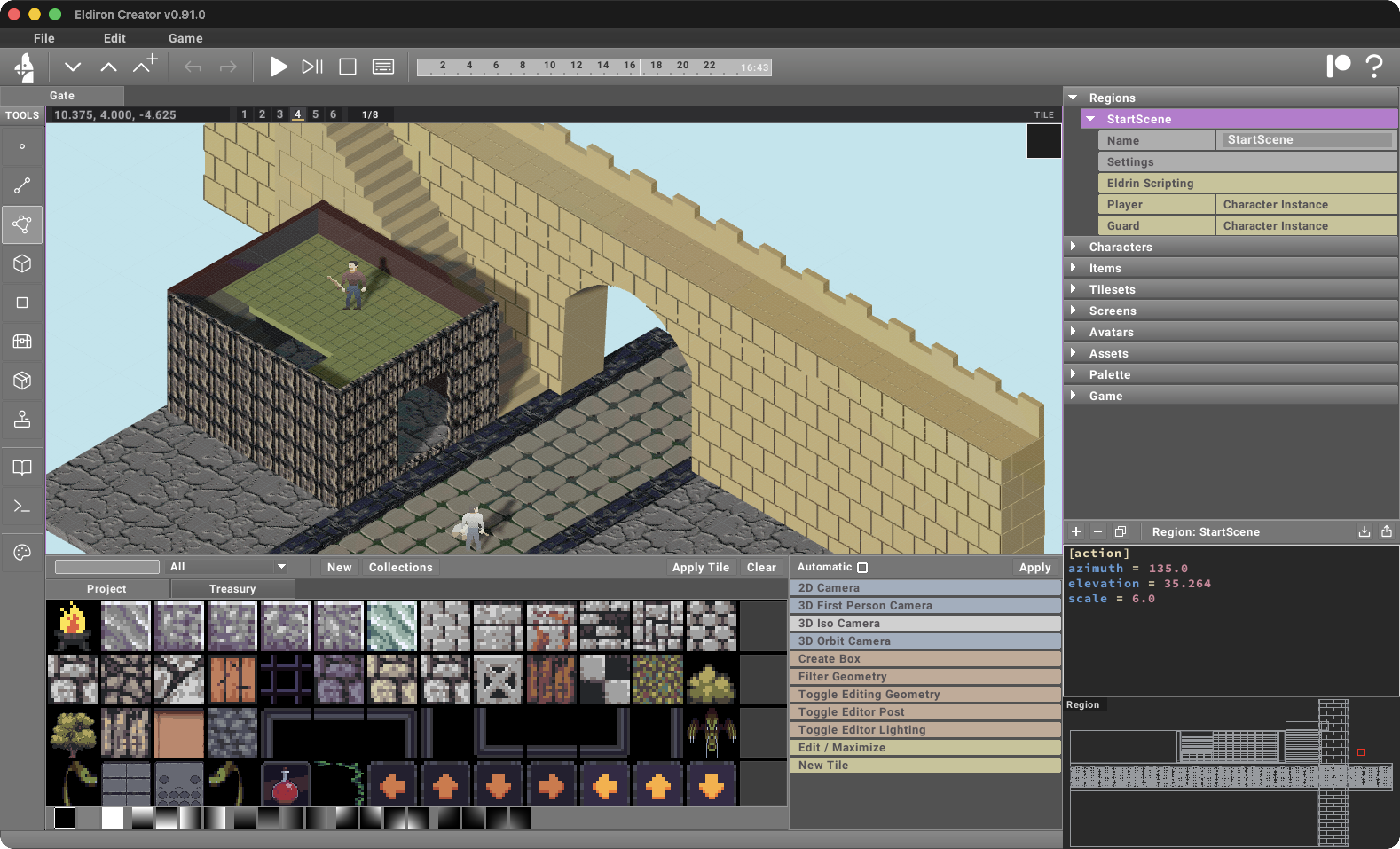
The new Gate starter project has a different purpose from Hideout2D. It is not mainly a ruleset demo. It is a practical test project for the new 3D editing, 3D navigation, and 8-direction avatar path.
Gate exercises multi-level 3D Geometry Object layouts, stairs, bridges, mesh collision, object areas, scripted navigation, and the new 8-direction human avatar. Named Geometry Objects can now act as area destinations for commands such as goto, teleport, and random_walk_in_sector when no matching 2D sector exists. That makes it possible to use 3D-authored volumes for navigation and scripting in direct 3D projects.
Mesh movement also received more work in this release. Actors can move through direct Geometry Object cutouts without colliding against stale hidden geometry, floor support is sampled across the actor radius for narrow bridges and stepped geometry, and goto movement can try stair-aware floor stepping before falling back to navgrid pathing.
First-person stair traversal should feel smoother as well. The visible camera height now eases over stairs while the real actor position and collision remain tied to the actual floor. Dynamic entity collision also respects vertical separation better, so actors on different levels no longer block each other just because their XZ positions overlap.
3D Creator Workflow
The 3D editor continues to move toward a direct, block-based workflow.
Geometry Objects can now be scripted more cleanly: set_attr("visible", ...) updates object visibility, while set_attr("blocking", ...) updates solidity and rebuilds runtime collision/navigation. Hidden Geometry Objects remain available to the scene too, so scripts can reveal them later instead of losing them entirely.
There are also several editor-side improvements:
- 8-direction Avatar perspective support
- PNG Avatar Atlas import/export
- cleaner Edit Geometry parameters
- fixes for rotated Create Pattern repeats and guide previews on transformed faces
- corrected face texture offset and rotation behavior
- the reintroduced click-to-bake Builder Tool
- shader-based Surface Noise blending for stable 3D material variation
Messages Widget And Runtime Polish
The Messages widget also received several gameplay-facing improvements. It now supports press-to-continue overflow pauses, explicit script pauses, timed pauses, optional input blocking during pauses, and mouse-wheel scrollback. These are small controls by themselves, but they matter a lot for RPG pacing, especially when combat feedback, dialog, tutorial messages, and text command output all share the same screen space.
Closing
v0.91.0 is not just another feature pass. It is a foundation release.
Hideout2D now shows where the official ruleset is heading: class-driven play, rules-owned actions, resource loops, crafting, spells, loot, economy, and UI feedback all connected through one system. Gate shows where the 3D side is heading: direct Geometry Object editing, multi-level spaces, better mesh movement, 8-direction avatar presentation, and authored 3D navigation that can support real gameplay.
Both directions will keep growing from here, but this release should make new projects feel much less empty at the start and give existing projects a clearer path toward shared RPG behavior without losing customization.
Take care,
Markus